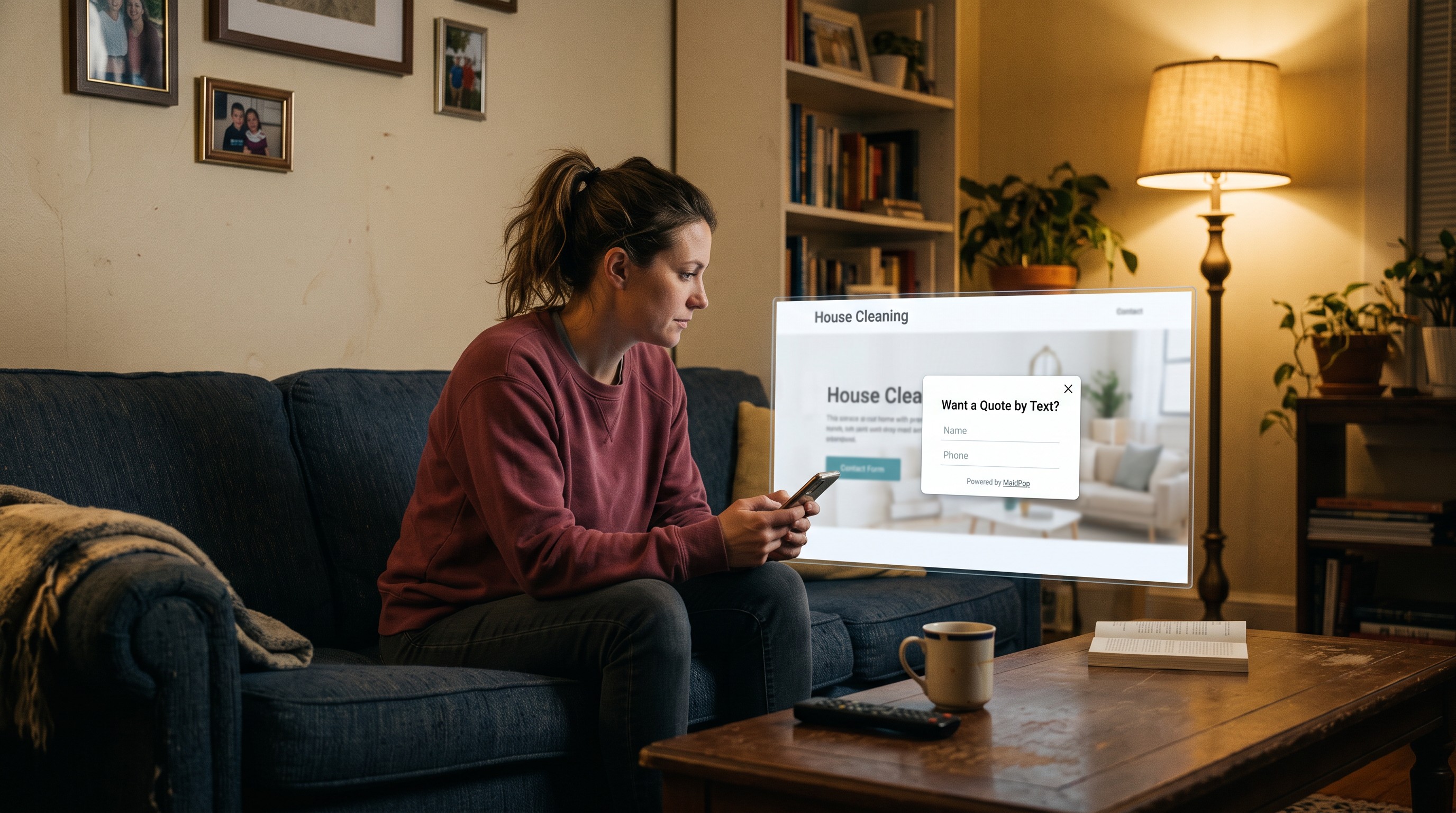
A mobile popup works on a cleaning website when it asks for a phone number or an email, stays small enough that someone can close it with a thumb, and fires after a short wait instead of covering the whole screen like a box built for a laptop. A mobile popup on a cleaning website should ask for a phone number or an email, stay small enough to close, and fire after a few seconds.
They're on the couch.
Phone in one hand. Your site in a tab, other cleaners right next to it. A box designed for a laptop slams down, covers the reviews, and asks for beds, baths, pets, and a paragraph. The X is a speck. They hit back. You never got the number. This post is the phone version: a small ask, a card they can close, and a wait that doesn't feel like an ad.
The short version
Ask for a phone number or an email. Keep the card small enough to close. Fire about 10 seconds after the page loads. Don't let a desktop box eat the screen.
Why do mobile popups fail on cleaning websites?
Mobile popups fail on cleaning websites when they were built for a laptop. A wide box covers the whole phone. The close button is too small to tap. The form wants the whole house. The person comparing you on the couch hits back, and you never get the name.
The visitor is not at a desk.
They're on a phone, hopping between cleaners after dinner. A popup that looked fine on your office computer now hides the page and grows taller the second the keyboard pops up. If they can't see a way out, it feels like a trap. People don't fill out a trap. They leave.
A hard-to-close box is worse than no box. They remember the annoyance, not the offer.
What should a mobile cleaning popup ask for?
A mobile cleaning popup should ask for one contact field, usually a phone number. That is enough to call them back and talk about the house. Extra fields make the card taller, the keyboard bigger, and the chance they finish smaller. Save beds, baths, and square footage for the conversation.
Phone is the easy ask on a phone.
They're not going to type square footage with one thumb while someone else is watching TV. You can walk through the house once you have a phone number or an email. You can't get that same person to tap through beds, baths, pets, and a box that says tell us about your home.
Say it the way you would in a text. "Leave your phone number or email. I'll call you." That's the whole form.
When should a popup show on a phone?
A popup should show on a phone about 10 seconds after the page loads. A short wait lets them see you are a real cleaner before a box asks for a number. Instant can feel like the ads they already swipe past. Exit-intent, where it fires as they close the tab, is coming soon.
Give the headline a beat.
On a phone, the first couple of seconds are for your town and a review. If a box covers that, you look like every nag they already ignore. Ten seconds is enough for them to notice you serve their area. About 10 seconds after load is enough. Leave it there.
You don't sit there and trigger it. The timer does that.
How do I keep a popup from covering the whole phone screen?
Keep the popup a card with space around it, a close X they can actually tap, and a short no-thanks line. Two fields keep the card short enough that the keyboard doesn't bury the button. A full-screen takeover that locks the page is how you lose the person you already paid to get there.
Leave a strip of the site visible. The X should be a real target, not a tiny ghost in the corner. A tap on the dimmed page, plus a no-thanks line, helps people who won't hunt for an icon. The fields are the height. Email or phone stays a card. Extra boxes become a scroll, and the keyboard covers the button. Cut fields before you fiddle with colors.
If they can close it, they stay on the page. If they can't, they leave the site.
How do I add a mobile popup to a cleaning website?
Paste one line of code, pick a pre-written template, and turn it on. It shows about 10 seconds after the page loads. The ask is one field: an email, or a phone number on The Text Option. The same popup works on phones and laptops if it stays a small card. You do not write the copy.
The one I'd point you to is MaidPop, a free lead-capture popup for cleaning company websites. Templates already exist for a discount, a guarantee, a simple text ask, and recurring work. You enter your company name, paste one line of code, and you can be live in under 60 seconds.
MaidPop is a free tool from the team behind the Filthy Rich Cleaners podcast. It's free forever on the default plan, not a trial that turns into a bill. The free plan shows a small Powered by MaidPop line.
Want a Quote by Text?
Drop your number below and Sparkle & Shine can text you back about your cleaning needs.

It will not give you a separate mobile-only mode. It will give you a small card with a close X and a no-thanks line, on a phone or a laptop. Exit-intent is coming soon.
If you want the paste-the-code walkthrough, we already wrote how to add a popup to your cleaning business website.
If you want a free popup that works on phones for a cleaning website, that is the whole product.
Common questions about mobile popups on cleaning websites
What makes a mobile popup work on a cleaning website?
Ask for a phone number or an email, keep the card small enough to close, and fire after a few seconds. A desktop-sized box that covers the whole screen, or a form that wants the house, loses the lead.
Do I need a different popup for phones and computers?
No. The same popup works on phones if the ask is small and people can close it. You do not need a mobile-only mode. Extra fields and a hard-to-tap X are what break it on a phone.
How many fields should a mobile cleaning popup have?
Two. One contact field: an email, or a phone number on The Text Option. On a phone, every extra box means more typing and a taller card. Beds, baths, pets, and square footage belong on the call.
When should a popup appear on a phone?
About 10 seconds after the page loads. A short wait lets them see you are a real cleaner first. Exit-intent, where it fires as they close the tab, is coming soon.
Is MaidPop free if I want a popup that works on phones?
Yes. MaidPop is free, and it is not a trial that turns into a bill. You paste one line of code, pick a template written for maid services, and you can be live in under 60 seconds. You only pay if you later want to remove the small branding line.
Keep the card small
A phone popup works when it asks for a phone number or an email, stays easy to close, and doesn't eat the screen. A laptop box that covers everything books nobody.
If you want that ask already written for a maid service, put a popup that works on phones on your cleaning website and turn it on today.